 CIZEN TECH
 CIZEN TECH · Technical Support
Frame grabbers & software.
From setup to integration.
Installation, control, image capture and analysis guides for MIG frame grabbers, CameraMaster and the SDK. Find your next step below.
MIG SERIES / FRAME GRABBER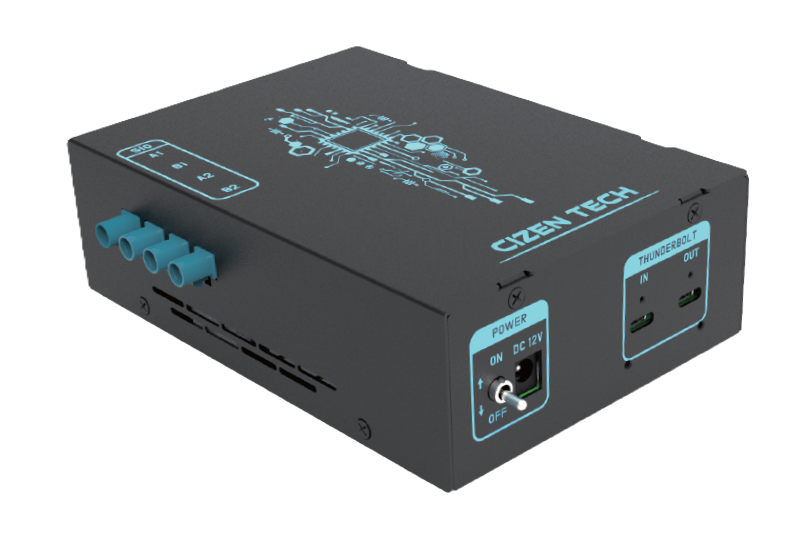
What would you like to do?
01 / SETUP
Connect your first board →
Identify your model, install the driver and check your first image.
02 / DEVELOPIntegrate the SDK →
Find API signatures and C++, Python and C# examples.
03 / RESOLVEFind and report an issue →
Check device detection, video and configuration before contacting support.
Explore the docs
Hardware
Frame Grabber
MIG-S2 / S2 Pro / S3 / S6 MIPI capture cards — key features, models, and specifications.
Viewer
CameraMaster
Real-time capture, configuration files, bring-up procedures, and the Grabber terminal.
SDK
MIG Grabber SDK
C++, Python, and C# APIs for controlling the grabber from your own application.
Setup
Driver Installation
MIG-S2 and S6 driver packages, installation checks, and MIG-S3 support guidance.
Framework
CameraMaster Framework
Build custom inspection items with FrameworkBridge and the test-item lifecycle.
Inspection
Image Kit
SFR, distortion, defect, blemish, shading — the built-in image-quality test set.
Hardware
Deserializer
TI and MAXIM deserializer selection, channel mapping, and terminal commands.
Platform
NVIDIA Jetson
Jetson TX2 / Xavier / Orin deserializer boards for GPU-side image acquisition.
Reference
Resolution & Bandwidth
Megapixels to pixel counts to link bandwidth — which MIG board and GMSL rate carries each resolution / format / fps.
Help
Technical Support
Reach the engineering team for issues that aren't covered by the docs.
Quick start
1
Install the driver
Install Visual C++ Redistributable 2015–2022, then the MIG driver matching your board (S2 / S6; contact support for S3). See Driver Installation.
2
Install CameraMaster
Run the CameraMaster installer and launch the application. The Grabber connection status should turn green.
3
Load a module configuration
Pick a
.ini file that matches your module / SER / DES / video format and review the contents in CameraMaster.4
Bring up the camera
Power the module, initialize the sensor, and check live video. From here, run inspection items or integrate via the SDK.